






Generate makeup on your face, not a model's.
Pick the shades or upload a look you saved, and Uptone applies it to your own photo, keeping your features, your skin tone and your face shape. Free to start, no card.
Generate a look free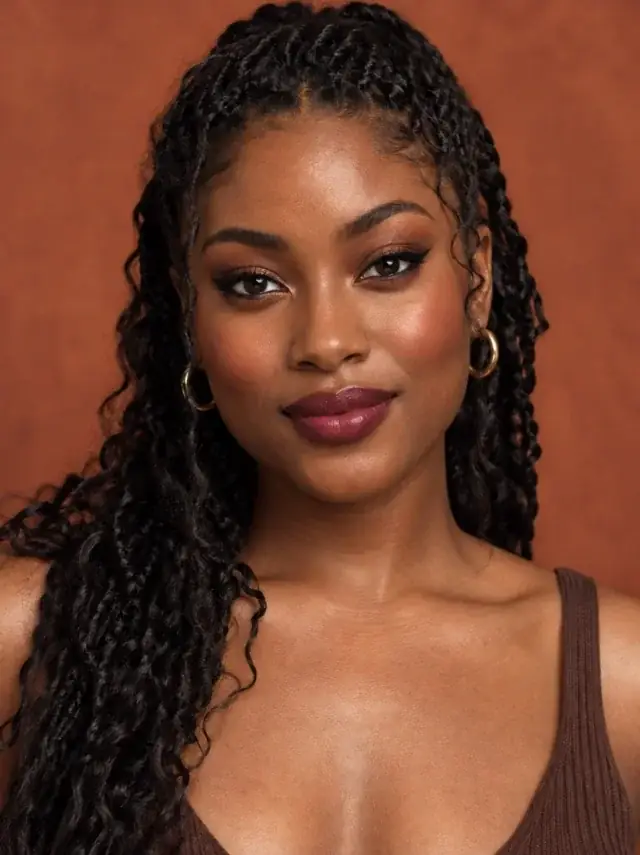
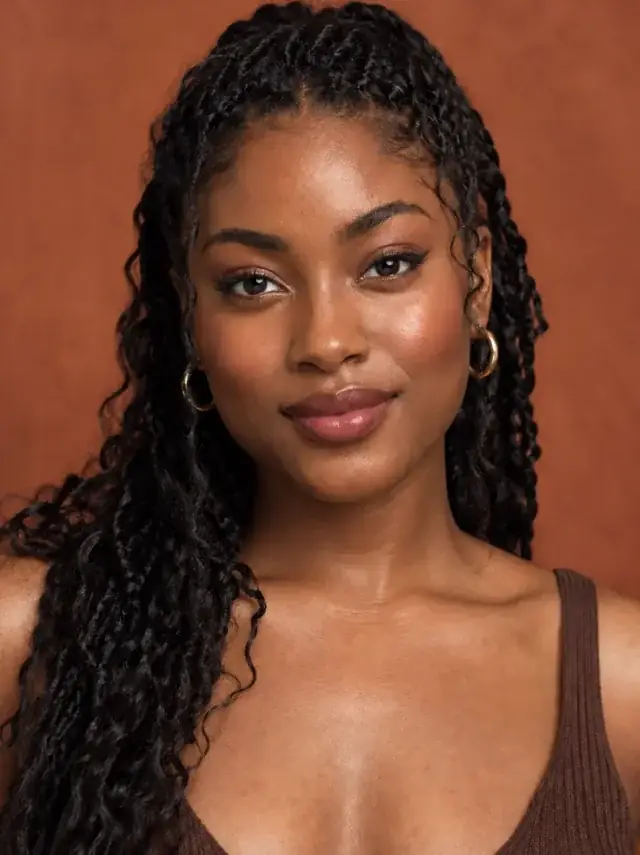
How it works
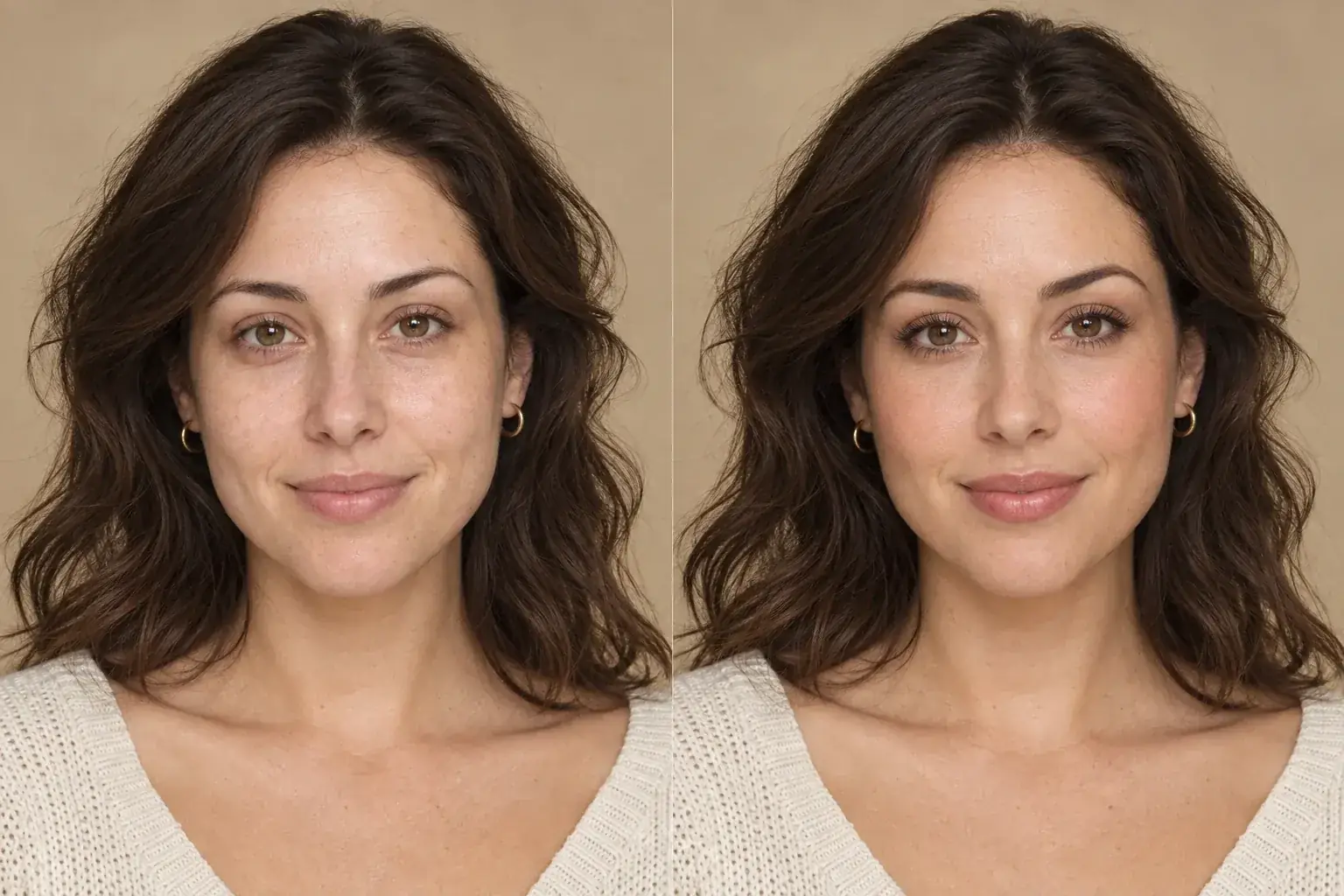
The complete change, shown side by side Add a photo of yourself
Front-facing, even light, no heavy filter. The face you want the makeup on, not a reference of someone else.
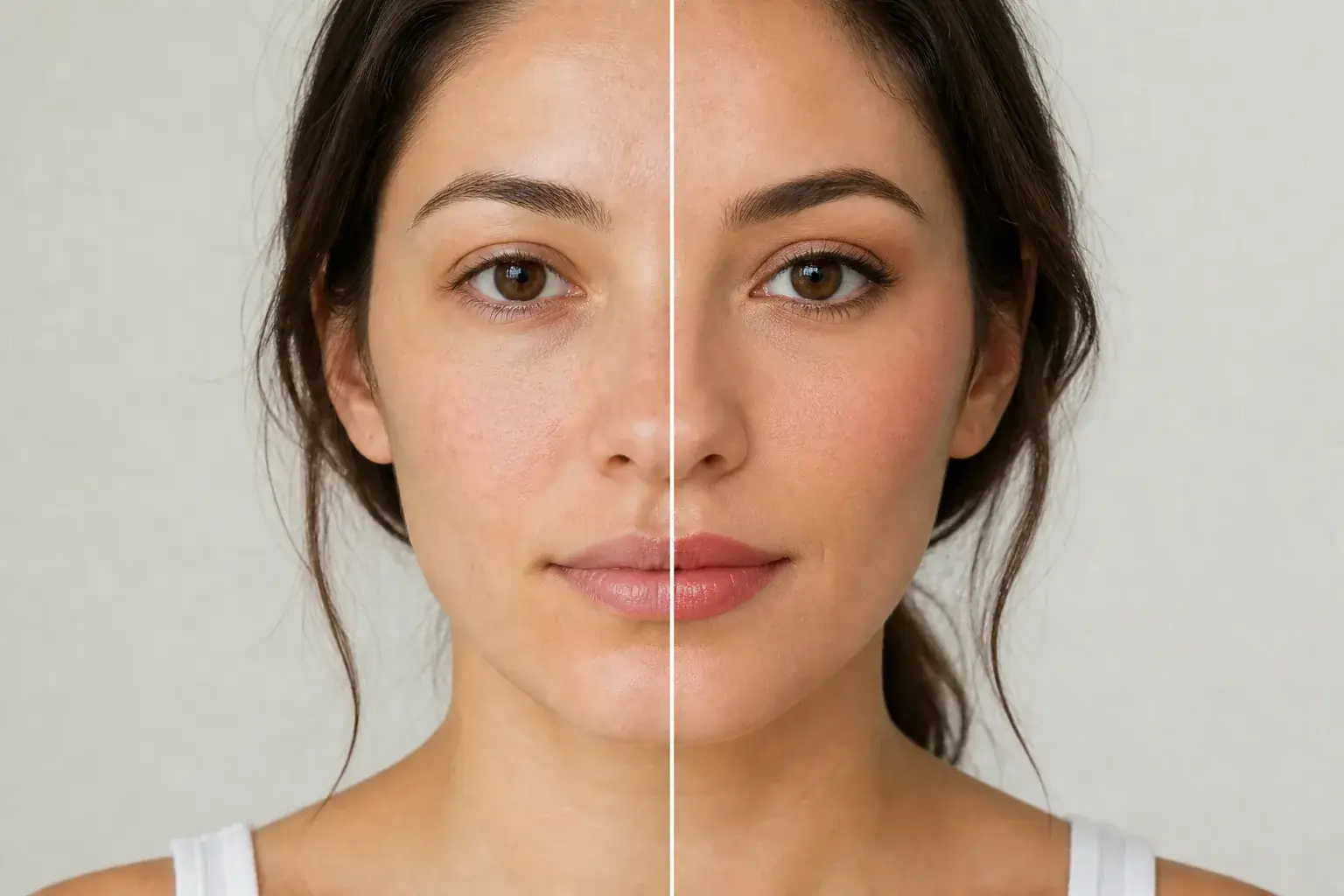
A second result on a different subject Choose the makeup, or upload a look
Set lip, eyeshadow, liner, blush, brows and lashes yourself, or upload a look you saved and let Uptone read the placement and colour family off it.
- Loading preview…
Before and after a soft makeup look changed into a more polished look Get the look and the method
The result on your own face, plus what changed, why those shades work with your colouring, and the order to apply them in.
Your face, wearing the makeup
- The look applied to your own photo, with your features, skin tone and face shape unchanged.
- Every shade named, with its hex code, so you can take it to a shade matcher.
- The order to apply them in, written as steps rather than a product list.
- A before and after you can drag between, full screen.
Generated on you, not generated instead of you
Most tools that call themselves an AI makeup generator produce a face. You describe a look, and out comes a photorealistic person wearing it, someone with your rough colouring if you are lucky, and a stranger either way. It is a good way to build a mood board and a useless way to decide whether a shade suits you.
This edits the photograph you upload. Your eye shape, your brow, your nose, your skin tone and its undertone all stay exactly as they are, and the makeup is placed on them. That is the whole difference, and it is the reason the result is worth anything as a decision: you are looking at your own face.
It also means the answer can be no. A shade that fights your colouring will look like it fights your colouring, which a generated model will never show you.
What you can actually set
The makeup editor is a set of controls rather than a prompt box, because "soft glam" means something different to everyone and a shade name is precise.
- Lip: thirteen shades from light nude through berry and wine, each with a swatch and a hex code.
- Eyeshadow: fifteen, from natural beige and soft taupe to emerald green and red-orange.
- Eyeliner: seven colours, applied to follow your own eye direction rather than a stock wing.
- Blush: eleven shades, placed for your face rather than at a fixed height.
- Brows: natural, arched or straight, groomed rather than redrawn.
- Lashes: subtle or volumising.
- Eye colour: thirteen shades, if you want to see that too.
Why the shades are named rather than described
A prompt-driven generator takes "warm brown smoky eye" and gives you one of a thousand things. Ask twice and you get two different faces, and neither is repeatable.
Naming the shade fixes that. Pick "smoky brown" and you get smoky brown, the same one, every time, and the result comes back with the hex value, which is the thing you can actually take to a shade matcher or a shop.
The trade is that you cannot ask for something the list does not have. That is a real limitation and we would rather have it than the alternative, which is a tool that agrees with any request and quietly does something else.
What decides whether the result is any good
Almost entirely the photo, and almost none of it is about the camera.
- Even light on the face. Harsh side light bakes shadows into the image that the makeup then has to sit on top of.
- No makeup already on, if you can. Generating over an existing full face means the tool is working on top of someone else's decisions.
- Facing the camera. A strong three-quarter angle hides half of what you are trying to judge.
- No heavy filter. Smoothing removes the skin texture that makes the result read as a photograph rather than a rendering.
Where this struggles
It is a preview, not a swatch
Screen colour is not product colour. A shade that looks right here still needs testing against your own skin in daylight, and foundation especially.
It will not invent a look from a sentence
There is no prompt box. You pick from named shades, which makes the result repeatable and means you cannot ask for something outside the list.
Heavy existing makeup
Working over a full face of makeup gives a muddled result. A bare or lightly made-up photo is much better material.
Very low resolution
Lips and lash lines occupy few pixels. A small or soft photo does not give enough detail for the finer work to land.
Worth reading first.
The useful context, trade-offs and photo advice, before you spend a credit.
- 01How to find your undertoneWhich shades sit comfortably against your skin comes down to this, and the vein test is the least reliable of the four.
- 02Choosing a lipstick shadeLess of it is decided by undertone than shade charts imply.
- 03Taking a photo that gives an accurate resultThe single biggest factor in whether any of this works.
Your photo stays yours.
Uptone edits your own photo rather than generating someone who resembles you. It never scores how you look, never calls a feature a flaw, and every trait it infers stays yours to correct.
Free to start
Your first look is free, with no card. Every plan shows your remaining credits before you spend one, and a failed generation is not charged.
Generate makeup on your face, not a model's.
Try it on your own photo and judge the full-size result for yourself.
Generate a look freeSee ai makeup in motion.
The moving cards wipe between a real before and after. The still cards are finished looks, and the full strip scrolls continuously.
Questions, answered.
What this edit changes, what stays fixed, and where the result still depends on your original photo.
01Is there a free AI makeup generator?
This one. You can set the whole look up before making an account, which is needed only at the point the image is generated, and there is no card and no watermark. A generation that fails does not cost you anything. Pro is $11.99 a month for a higher monthly limit and the stronger model.
02Does it use my own photo or generate a face?
Your own photo. That is the point of it. Your features, skin tone and face shape are held and the makeup is applied to them, which also means a shade that does not suit you will look like it does not suit you, rather than looking fine on a generated stranger.
03Can I describe the look I want in words?
No, and that is deliberate. You pick named shades, so the same choice gives the same result every time and comes back with a hex code you can use. A prompt box would take "soft glam" and return something different on every attempt.
04Will it change my face?
No. Every generation carries hard constraints on identity, facial features, pose and hairstyle. A result that no longer looks like you is treated as a failure here, not a success.
05Can I get the products to recreate it?
You get the shade names, their hex codes and the order to apply them in. We do not name specific products to buy, because we take no commission from any brand and a recommendation that pays us is not a recommendation.
06How many looks do I get?
One a month on Free, which needs no card. Pro is 120 a month at $11.99, Studio is 500 at $23.99. The plans are on this page, and cancelling is a button on your billing page rather than an email.
07Does it work on every skin tone?
It is built to. Shades are adjusted for skin depth rather than applied at a fixed strength, which is the failure that makes a lot of beauty tools look chalky on deeper skin. If a result looks wrong on yours, tell us: that is a bug worth fixing rather than a limitation to accept.