






An AI skin enhancer that adds texture, not blur.
Natural pores restored rather than sanded off, and a soft photo sharpened while it happens. Free to start.
Enhance a photo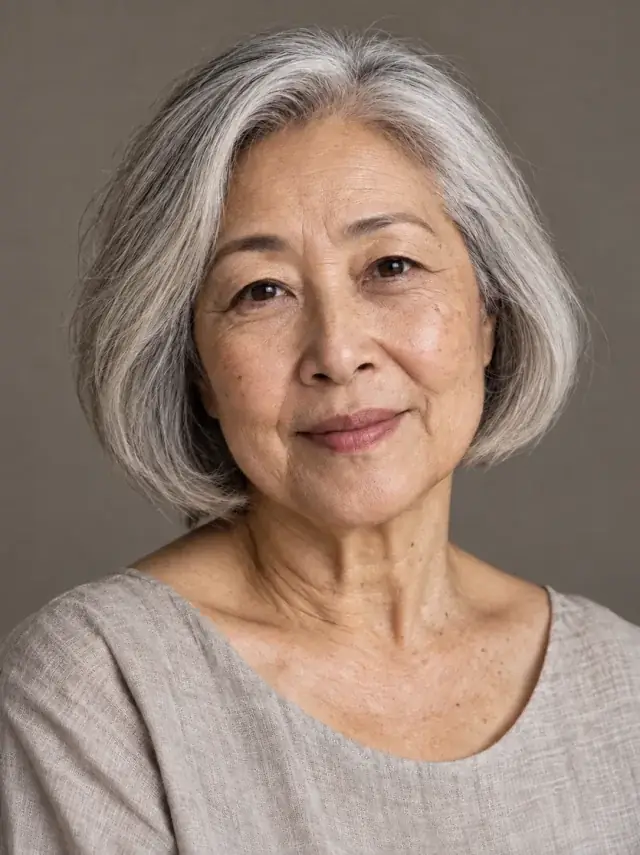
 BeforeAfter
Healthy detail without plastic skin
The original stays beside the edit, so you judge the tool on the same person, pose and camera angle.
Try skin enhancerHow it works
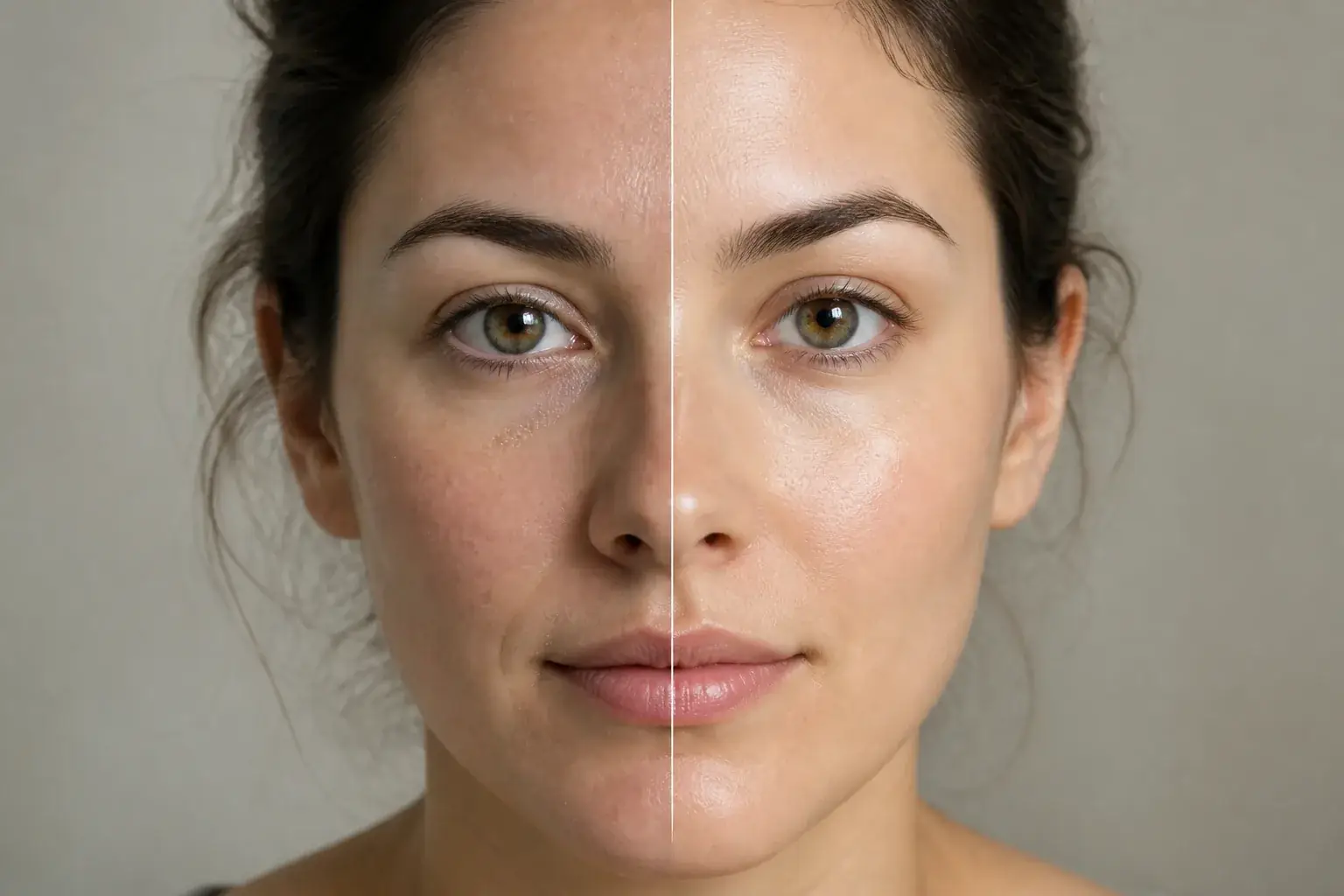
The complete change, shown side by side Add a soft or low-resolution photo
The kind that looked fine on your phone and falls apart when you use it anywhere else.
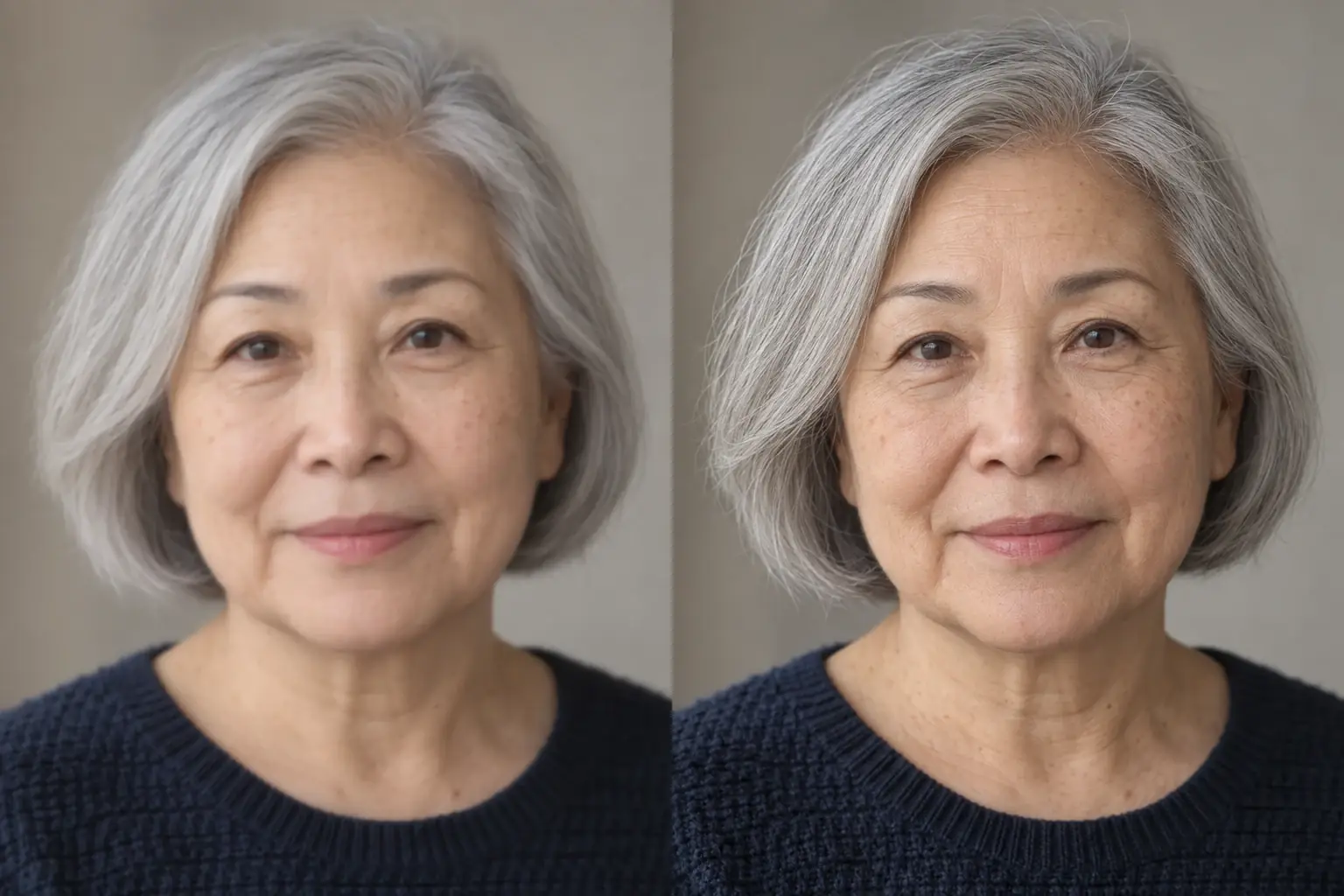
A second result on a different subject We recover detail rather than adding gloss
Quality, lighting and resolution up, blur down, with realistic skin texture and natural pores.
- Loading preview…
Before and after natural skin detail restored Nothing about your face changes
Features, skin tone and hairstyle are all named as things to leave alone, and no new lines or wrinkles are invented.
The photo you thought you took
- Blur and softness in the face reduced.
- Realistic skin texture with natural pores, not a smoothed surface.
- No added lines or wrinkles, and none removed either.
- Your features, skin tone and hairstyle untouched.
Where this struggles
It cannot invent what was never captured
Detail has to be recovered, not created. A photo that was blurry at capture comes back plausible rather than accurate.
Very heavy filters
If a photo has already been smoothed by another app, the texture is gone. This will add texture back, but it is generated texture, not yours.
Not a beauty filter
Features, skin tone and hairstyle are all held. If you want a change rather than a clearer version of what is there, this is the wrong tool.
Motion blur
Camera shake smears detail directionally. Unblur handles that case better than this one does.
Worth reading first.
The useful context, trade-offs and photo advice, before you spend a credit.
Your photo stays yours.
Uptone edits your own photo rather than generating someone who resembles you. It never scores how you look, never calls a feature a flaw, and every trait it infers stays yours to correct.
An AI skin enhancer that adds texture, not blur.
Try it on your own photo and judge the full-size result for yourself.
Enhance a photoSee skin enhancer in motion.
The moving cards wipe between a real before and after. The still cards are finished looks, and the full strip scrolls continuously.
Questions, answered.
What this edit changes, what stays fixed, and where the result still depends on your original photo.
01Is there a free AI skin enhancer?
Yes. A new account gets a credit a month, enough to run one photo through and see whether the texture comes back the way you wanted.
02What does an AI skin enhancer actually do here?
It restores pore-level detail that compression, upscaling or a beauty filter removed. It is the opposite of a smoothing tool: nothing is evened out, and your skin tone and features are left as they are.
03Is there a free AI tool for skin texture?
This one. You can set the whole thing up before making an account, which is needed only at the point we generate the image, and there is no card and no watermark. A failed generation costs you nothing. Pro is $11.99 a month for a higher monthly limit and the stronger model.
04What removed the skin texture from my photo in the first place?
Usually your phone. Noise reduction runs on every shot and is aggressive in low light, and smoothing away grain smooths away pores at the same time. Beauty filters do it deliberately, and AI image generators tend not to produce it at all. Which one happened decides how much comes back.
05How is this different from a beauty filter?
A beauty filter changes your face: smoother skin, larger eyes, a narrower jaw. This is a quality pass: it recovers detail the camera lost and is explicitly told not to alter any feature, your skin tone or your hairstyle.
06Will it smooth my skin?
The opposite, and that is the point. It restores realistic texture with natural pores. Smoothing is what makes a photo look processed, and it is named as something to avoid rather than something to do.
07Will it add wrinkles?
No, and it will not remove existing ones either. The instruction rules out adding new or unnecessary lines, and it is a clarity tool rather than an ageing one in either direction.
08How blurry is too blurry?
There has to be detail to recover: it cannot invent what the camera never captured. A slightly soft photo comes back genuinely sharper; a badly out-of-focus one comes back plausible rather than accurate.
09My photo already has a filter on it.
Then the texture is gone and this will add texture back rather than restore yours. It looks better, but it is generated detail, not the detail your camera recorded. Worth knowing before you use it for anything that matters.
10What about motion blur?
Camera shake smears detail in one direction and unblur handles that case better. This one is for softness and low resolution.
11My photo was generated by AI and has no texture at all.
Then the realism pass is the better fit. This tool recovers detail a camera captured and then lost; a generated image never had any, so the job there is stripping the plastic sheen and the waxy highlights rather than sharpening. It is a Pro tool.
Retouching is one half of what Uptone does. The other is trying a full makeup look on the same photo.
Try a full AI makeup look