






A real tan, on your real skin.
Deepens and warms your skin the way a few days in the sun would, and leaves the hair, clothes, background and light exactly as they were.
Add a tan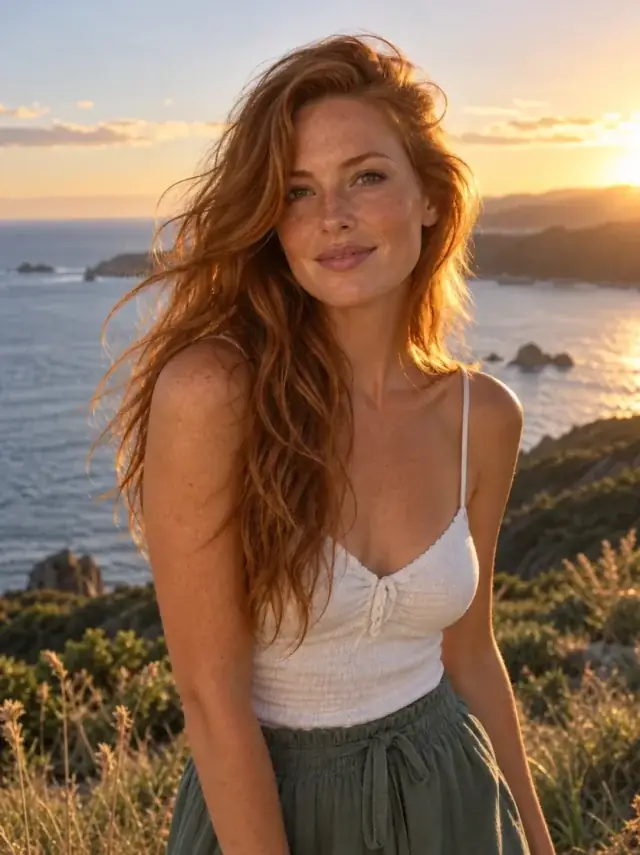
How it works
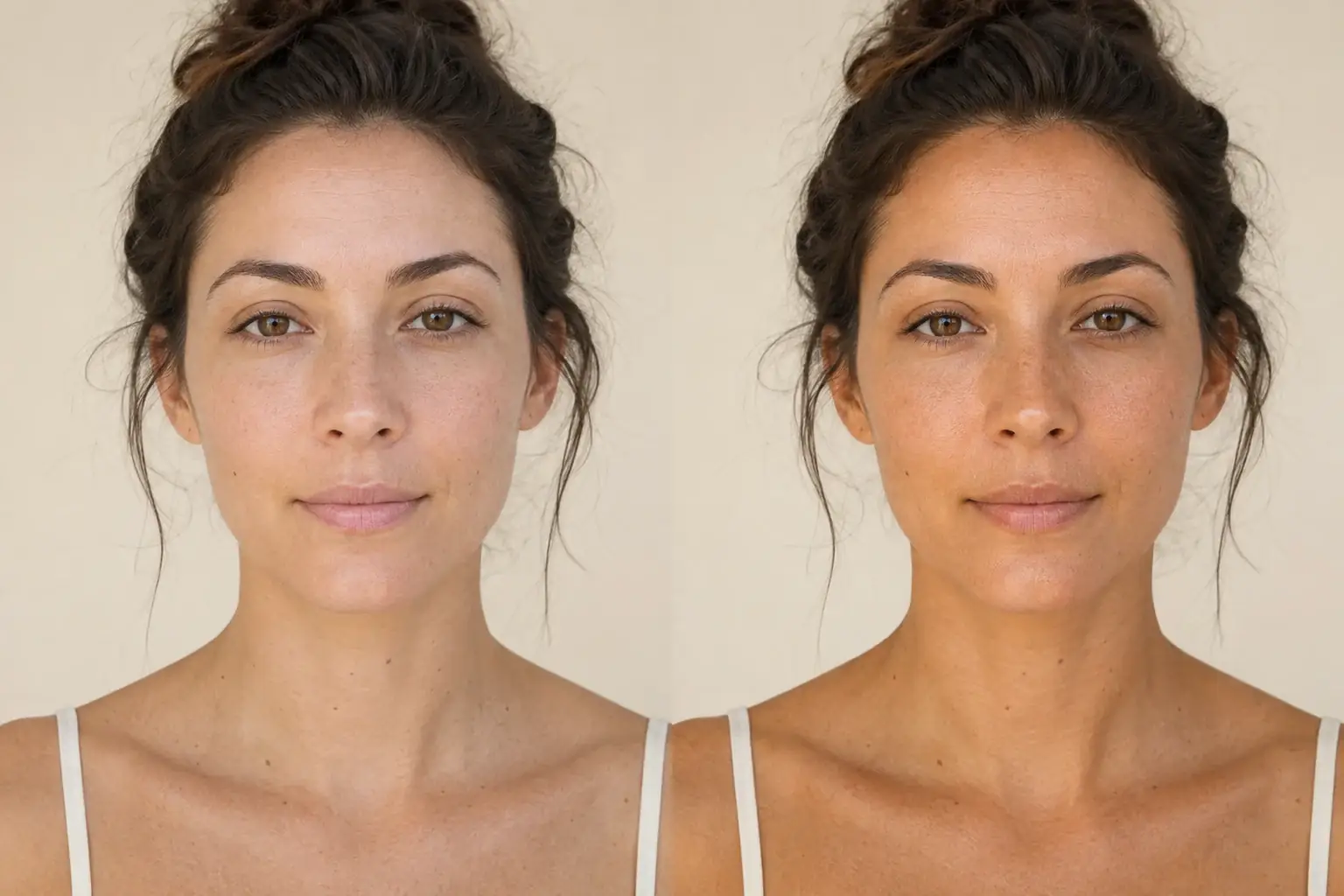
The complete change, shown side by side Add the photo
Any photo where you can see skin. Face and neck are enough; arms and shoulders come along if they are in frame.
A second result on a different subject We deepen the skin evenly
Face, neck and every bit of visible skin move together, so nothing reads as painted on and there is no line at the collar.
- Loading preview…
Before and after a natural warm tan added Your undertone stays yours
The tan is built on the undertone you already have. Warm skin goes golden and cool skin goes deeper rather than orange, and freckles and moles stay put.
The photo, after a week away
- Skin deepened and warmed evenly across everything visible.
- Your own undertone, so it reads as sun rather than as a filter.
- Freckles, moles and birthmarks exactly where they were.
- Hair colour, clothing, background and lighting untouched.
What a believable tan actually changes
A real tan is not a warmer photo. Sun deepens the skin by building melanin, which shifts skin darker and slightly warmer while leaving the whites of the eyes, the teeth, the hair and the shirt exactly as they were. That is the tell most tan filters miss: they warm the whole frame, and the white top and the wall behind you go peach along with your face.
This tool is instructed to change skin and only skin. The lighting, white balance and background are named as things it must not touch, so a white shirt stays white and the comparison reads as you in the sun rather than as you through a filter.
Why undertone decides whether it looks real
Skin darkens along its own axis. Someone with a warm, golden undertone tans golden; someone with a cool or neutral undertone tans deeper and a little redder, but not orange. The orange tan, the one everyone can spot, is what happens when a warm tone is painted on top of skin that is not warm.
The instruction keeps your undertone as the base and deepens from there, which is the same reason a good self tanner comes in more than one shade. If you do not know your undertone, the journal has a piece on finding it, and the tool does not need you to: it reads it from the photo.
When to use something else
Three neighbouring jobs look similar and are not.
- You want the whole photo warmer, golden hour style. That is the lighting editor, which changes the light rather than the skin.
- Your skin looks grey or washed out because the photo is underexposed. That is the photo brightener. A tan on a dark photo is a darker photo.
- You want a bronzer or a blush look. That is makeup, which sits on the surface of the skin rather than in it, and lives in the makeup editor.
Where this struggles
It is a tan, not a colour grade
If the whole photo needs warming, that is the lighting editor. This tool is told to leave everything except skin alone, and it will.
Tan lines
Existing tan lines and strap marks are unpredictable. Sometimes they deepen with the rest of the skin, sometimes the model evens them out. Check the collar and straps before keeping it.
Deep skin
A tan is a smaller visible shift on skin that is already deep, so the change can be easy to miss. A side by side comparison shows it better than the result on its own.
One strength
There is no slider. It is one natural step deeper, the amount a long weekend outside would give you, rather than a spray tan.
Worth reading first.
The useful context, trade-offs and photo advice, before you spend a credit.
Your photo stays yours.
Uptone edits your own photo rather than generating someone who resembles you. It never scores how you look, never calls a feature a flaw, and every trait it infers stays yours to correct.
A real tan, on your real skin.
Try it on your own photo and judge the full-size result for yourself.
Add a tanSee tan editor in motion.
The moving cards wipe between a real before and after. The still cards are finished looks, and the full strip scrolls continuously.
Questions, answered.
What this edit changes, what stays fixed, and where the result still depends on your original photo.
01Will it turn me orange?
It is told not to. The instruction keeps your existing undertone and deepens from it rather than painting warmth on top, which is where orange comes from. If your photo already has a strong orange cast from indoor lighting, sort the lighting first.
02Does it change my hair or clothes?
No. The hair colour, clothing, background and lighting are all named as things that must stay the same, so a white shirt stays white.
03Can I choose how dark?
Not yet. It is one natural step, roughly what a long weekend outdoors gives you.
04Will it remove my freckles or moles?
It is instructed to keep them exactly where they are.
05Does it work on deep skin tones?
Yes, and the change is smaller, because a tan is a smaller shift on skin that is already deep. Compare side by side rather than judging the result on its own.
06Can it make skin lighter instead?
No, and it is not going to. Uptone does not ship a skin lightening tool. The blemish, skin and under-eye tools are all instructed to keep your actual skin tone.
Retouching is one half of what Uptone does. The other is trying a full makeup look on the same photo.
Try a full AI makeup look