






Try an eye colour on yourself.
Thirteen shades from dark brown to pale ice blue, each with the hex code if you want to take it to a contact lens search.
Change your eye colour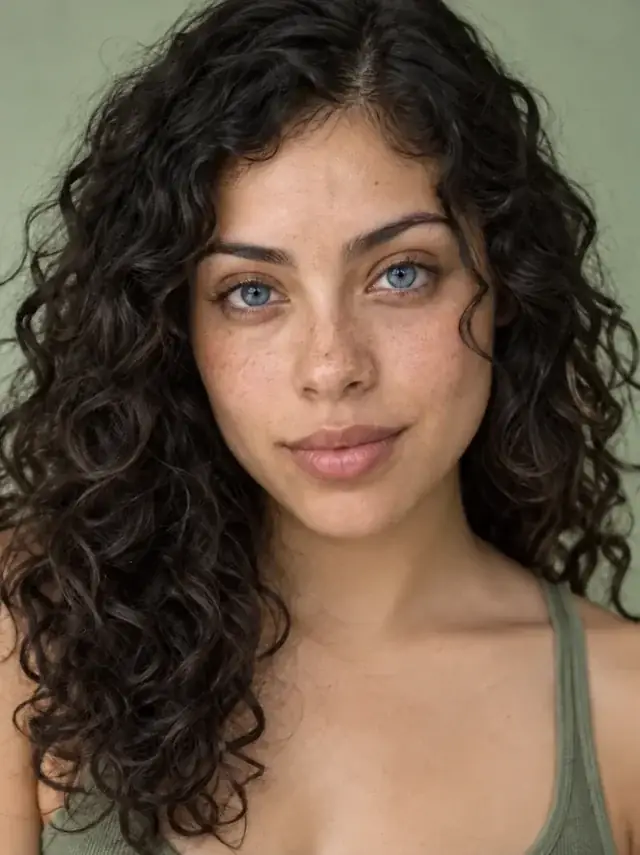
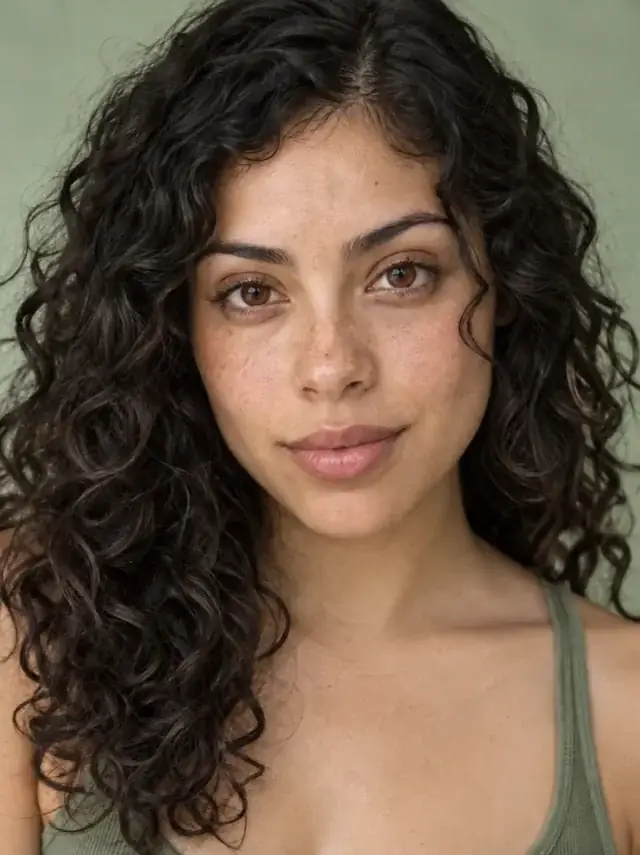
 BeforeAfter
New colour with iris detail intact
The original stays beside the edit, so you judge the tool on the same person, pose and camera angle.
Try eye colourHow it works
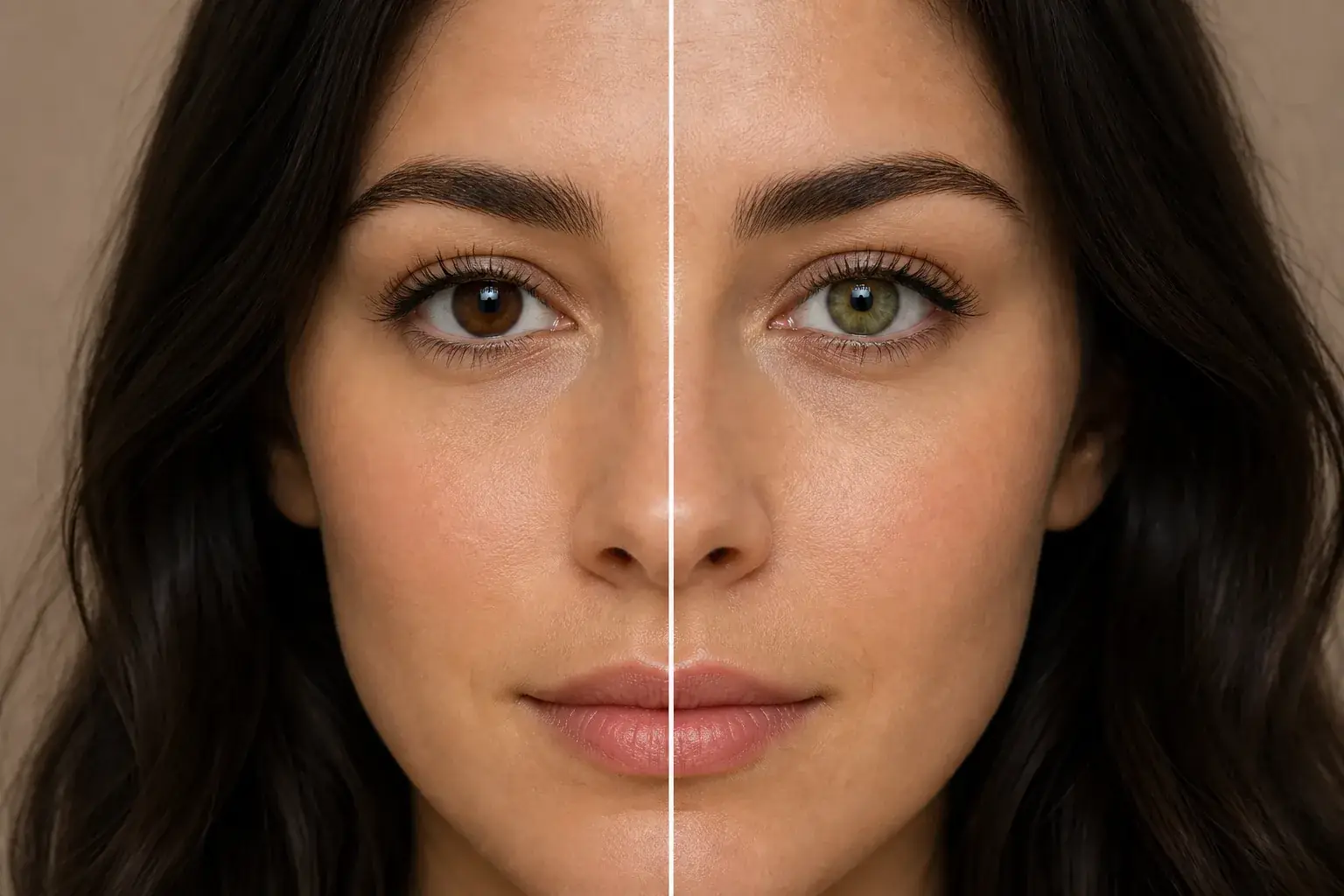
The complete change, shown side by side Add a photo where your eyes are visible
Looking at the camera works best. Sunglasses obviously do not.
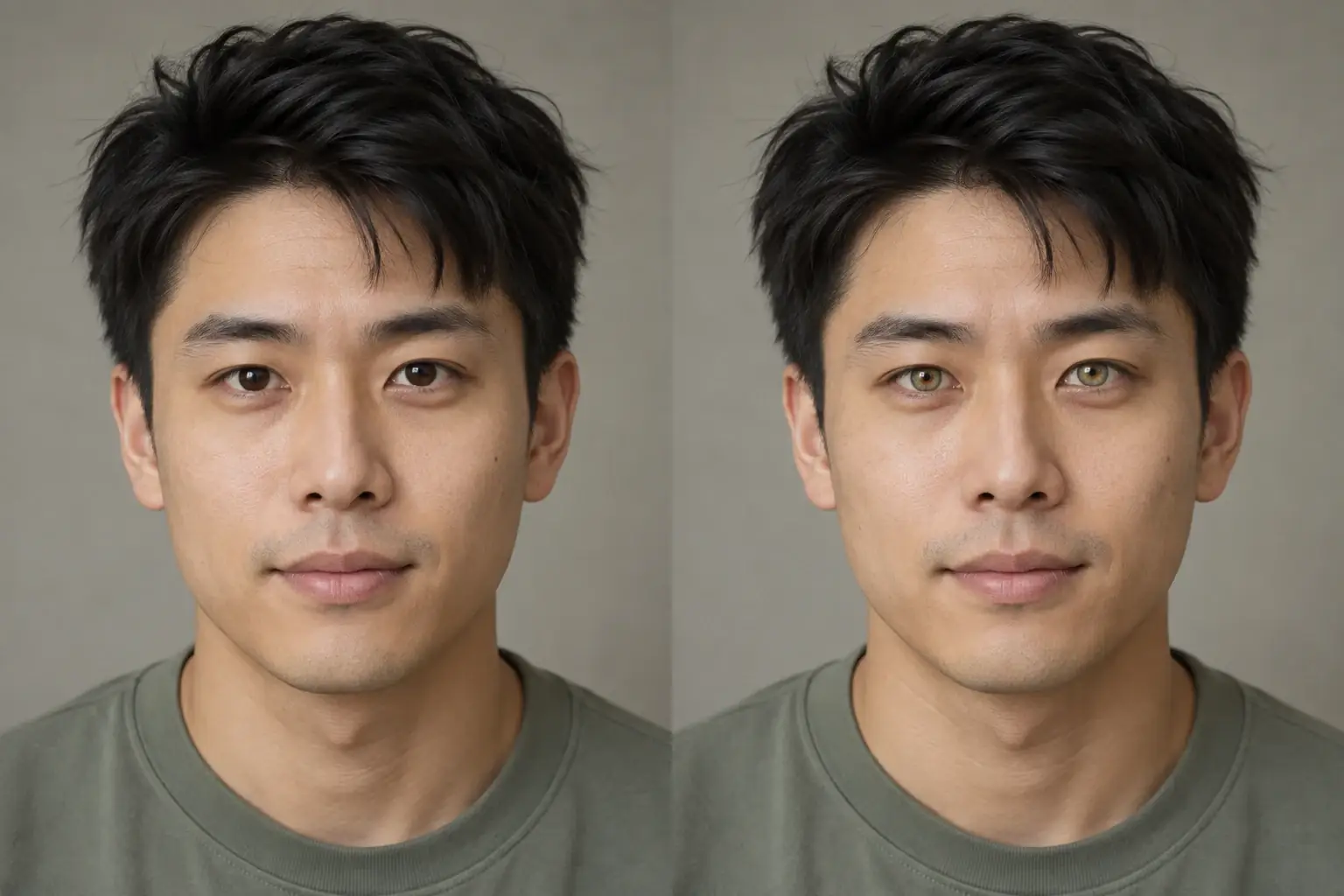
A second result on a different subject Pick a shade
Swatches rather than names, because nobody can tell hazel from honey by reading the word. Every shade shows its hex code.
- Loading preview…
Before and after brown eyes previewed in blue Nothing else moves
The instruction changes the iris and states that identity, features, pose, hair and clothing stay exactly the same.
Your face, one thing different
- A natural-looking iris in the shade you picked.
- Your own eye shape, lashes and brows untouched.
- The hex code of the shade, copyable, useful for a coloured-contact search.
- A before and after you can drag between full screen.
Where this struggles
Eyes small in frame
A full-body or wide shot leaves the iris only a few pixels across. Closer photos give a far better result.
Glasses, especially with glare
Reflections across the lens sit between the tool and the iris. Strong glare can be read as part of the eye.
Squinting or looking away
There has to be a visible iris to change. A side glance or a laugh with closed eyes gives it nothing.
A guide, not a product match
This previews a colour, not a specific lens. Real contacts sit over your existing iris and their opacity varies by brand, so a dark eye rarely reaches a pale blue in life.
Worth reading first.
The useful context, trade-offs and photo advice, before you spend a credit.
Your photo stays yours.
Uptone edits your own photo rather than generating someone who resembles you. It never scores how you look, never calls a feature a flaw, and every trait it infers stays yours to correct.
Try an eye colour on yourself.
Try it on your own photo and judge the full-size result for yourself.
Change your eye colourSee eye colour in motion.
The moving cards wipe between a real before and after. The still cards are finished looks, and the full strip scrolls continuously.
Questions, answered.
What this edit changes, what stays fixed, and where the result still depends on your original photo.
01Is this what coloured contacts would actually look like?
It is a good preview of the colour, not a product match. Real lenses sit over your existing iris and their opacity varies a lot by brand, so a dark brown eye rarely reaches a pale blue in life. Take the hex code to the lens listing and compare there.
02Why do you show a hex code?
Because it is the part that travels. Shade names are meaningless across brands (one company's honey is another's amber) and a hex is something you can paste into a search or send to someone.
03Will my eyes still look like mine?
Your eye shape, lashes and brows are untouched. The instruction changes the iris and states that identity, features, pose, hair and clothing all stay exactly the same.
04It did not change much on my dark eyes.
That is the honest hard case. Going from very dark brown to a pale shade is the biggest jump there is, and the model keeps it plausible rather than pushing to a colour that would look painted on. The lighter target shades land better on dark eyes than the palest ones.
05Does it work in glasses?
Usually, unless there is strong glare. A reflection across the lens sits between the tool and the iris and can be read as part of the eye. A photo without glasses is more reliable if you have one.
06Can I change one eye only?
Not currently: both eyes get the same shade. Heterochromia is on the list of things worth supporting properly rather than approximating.
Retouching is one half of what Uptone does. The other is trying a full makeup look on the same photo.
Try a full AI makeup look