






Lose the shine, keep the skin.
Takes the shine off the forehead, nose and cheeks and leaves everything that makes skin look like skin, including the light in your eyes.
Remove shine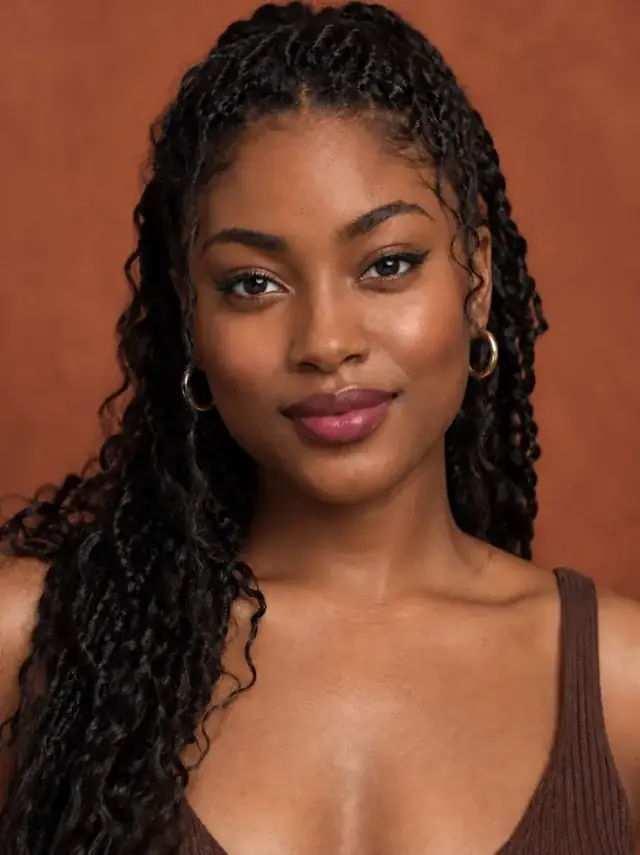
How it works
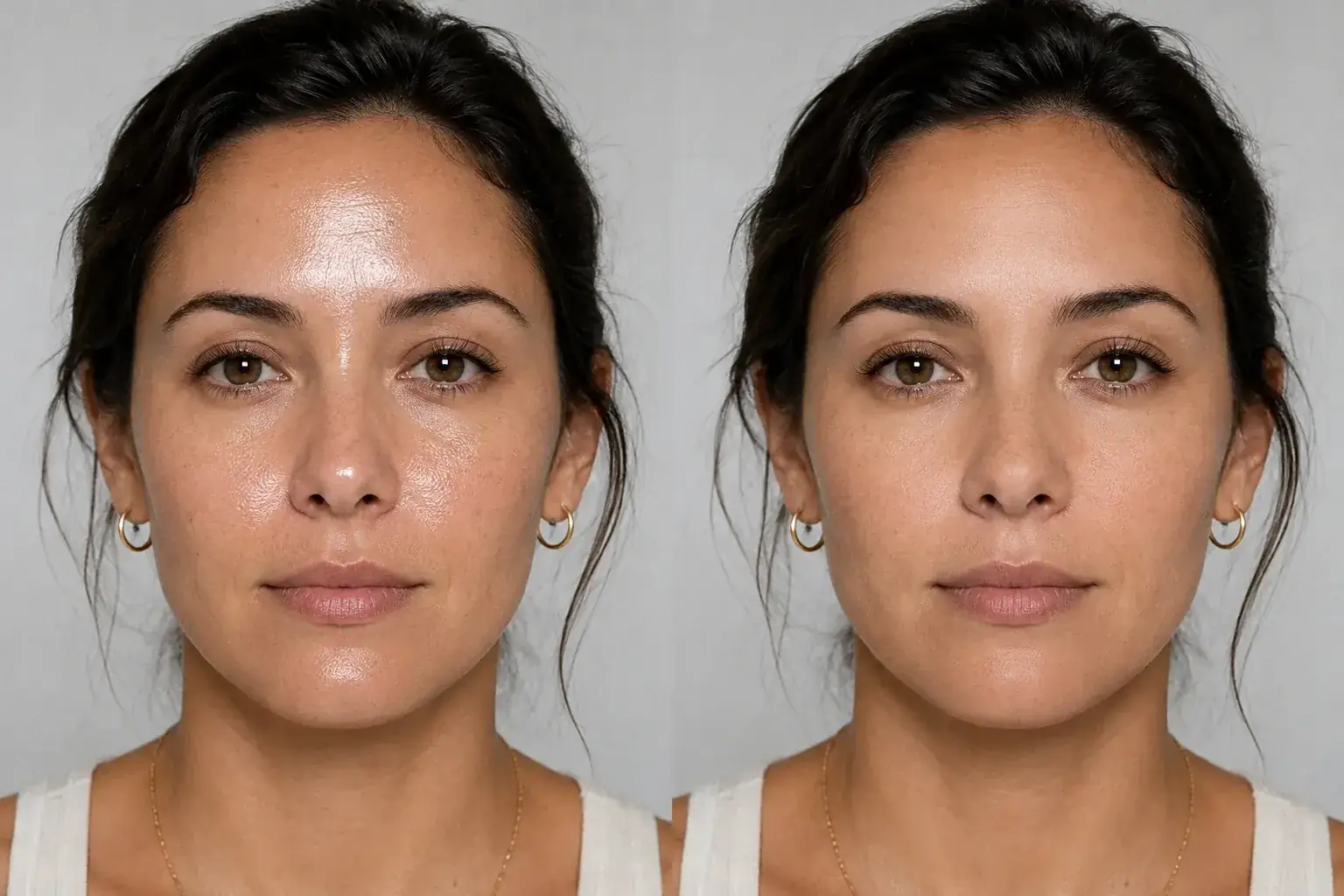
The complete change, shown side by side Add the photo
Hot day, flash, gym, a long night out. Any photo where the shine is the first thing you see.
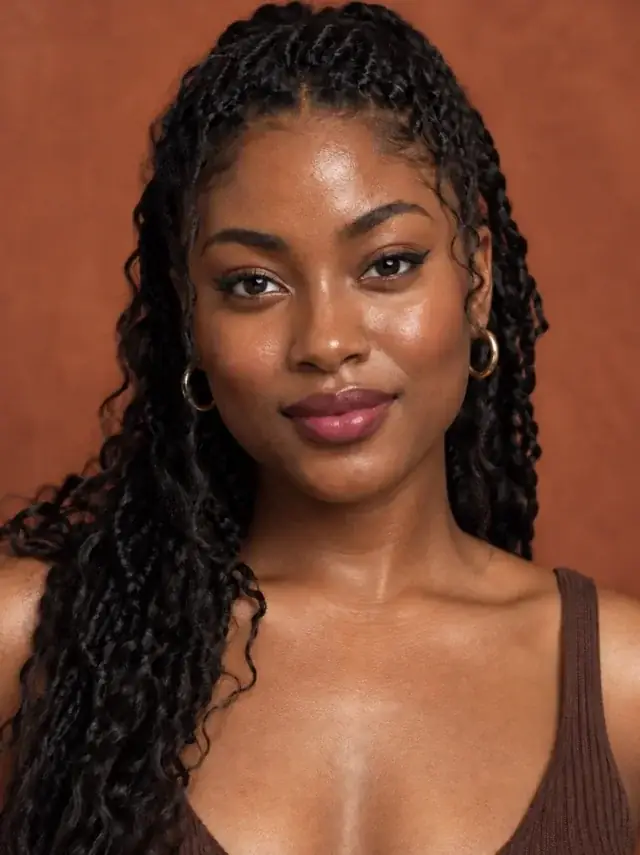
A second result on a different subject We bring the highlights down
Forehead, nose, cheeks and chin go from wet-looking to fresh. A soft glow stays, because skin with no highlight at all looks like powder.
- Loading preview…
Before and after T-zone shine reduced while keeping a healthy glow Texture is protected
Pores, fine lines and natural marks are all named as things to keep. This is not a smoothing pass, and it is told not to become one.
Fresh skin, still yours
- Oily shine and hot spots on the T-zone brought down to a natural glow.
- Pores and texture kept. No blur, no airbrush, no plastic.
- Your skin tone, freckles and moles unchanged.
- Catchlights in the eyes and the gloss on lips and hair left alone.
What shine is, in a photograph
Shine is a specular highlight: light bouncing straight off a thin layer of oil or sweat into the lens. It sits on top of the skin rather than in it, which is why it reads as a separate white shape rather than as a lighter patch of skin.
Because it is a reflection, the useful skin detail is still there underneath in most photos. Taking it down is a matter of bringing the highlight back to skin, not painting over the area. That is what this tool is instructed to do, and it is why the pores come back rather than disappear.
Matte is not the goal
Skin with no highlight at all looks like it has been dusted with powder or pasted in from another photo. Real skin, even very matte skin, catches a little light along the bridge of the nose and the top of the cheeks.
The instruction asks for a soft, healthy glow rather than a flat finish, and it names the places where highlights are supposed to stay: the eyes, the lips and the hair. A face with dull eyes and dull hair after a shine pass is a face the pass went too far on.
Where it goes wrong
Three things confuse a model that has been told to reduce shine, and they are worth checking in the comparison.
- Highlighter and dewy makeup. Intentional glow looks like shine and gets toned down with it.
- Very oily skin under hard flash, where the highlight has clipped to white. The detail was never captured, so what comes back is an educated guess.
- Skin that is smooth as well as shiny. If the model cannot find texture to keep, it may return skin that looks smoother than it was. The instruction forbids smoothing, but it cannot invent pores that were not in the file.
Where this struggles
Blown-out highlights
Where flash has pushed a patch of skin to pure white, there is no skin detail underneath to bring back. The tool fills it plausibly, and plausibly is the honest word.
Deliberate dewy makeup
Highlighter on the cheekbones looks like shine to a model, and it will tone it down too. If the glow is on purpose, this is the wrong tool.
Sweat and water
Beads of sweat or rain are treated as shine and mostly removed. Fine unless they were the point of the photo.
Not a smoothing tool
If the skin looks uneven rather than shiny, this will not change it, on purpose. The blemish retouch handles temporary marks and the skin enhancer handles texture.
Worth reading first.
The useful context, trade-offs and photo advice, before you spend a credit.
Your photo stays yours.
Uptone edits your own photo rather than generating someone who resembles you. It never scores how you look, never calls a feature a flaw, and every trait it infers stays yours to correct.
Lose the shine, keep the skin.
Try it on your own photo and judge the full-size result for yourself.
Remove shineSee shine remover in motion.
The moving cards wipe between a real before and after. The still cards are finished looks, and the full strip scrolls continuously.
Questions, answered.
What this edit changes, what stays fixed, and where the result still depends on your original photo.
01Will it smooth my skin?
It is instructed not to. Pores, texture and natural marks are all named as things to keep. If the skin in the photo was already smooth, there is no texture for it to keep.
02Does it change my skin tone?
No. It brings a highlight back down to the skin colour that is already around it. Lightening or darkening the skin is off the table.
03What about the shine in my eyes and on my lips?
Kept on purpose. Catchlights and lip gloss are what make a face look alive, and the instruction names them as things not to touch.
04Will it remove sweat?
Mostly, yes. Beads of sweat are read as shine. If the sweat was the point, use a different photo.
05I wore highlighter. Will it take that off?
Probably some of it. A model cannot tell intentional glow from oil, so if the dewy look was deliberate, this is not the tool for the photo.
06Is this the same as a matte filter?
A matte filter flattens the whole image. This works on the skin only, keeps a soft glow, and leaves the rest of the photo exactly as it was.
Retouching is one half of what Uptone does. The other is trying a full makeup look on the same photo.
Try a full AI makeup look