






Unblur an image, and still look like you.
Removes blur and pixelation across the whole image so it holds up at full size instead of only as a thumbnail.
Unblur a photo
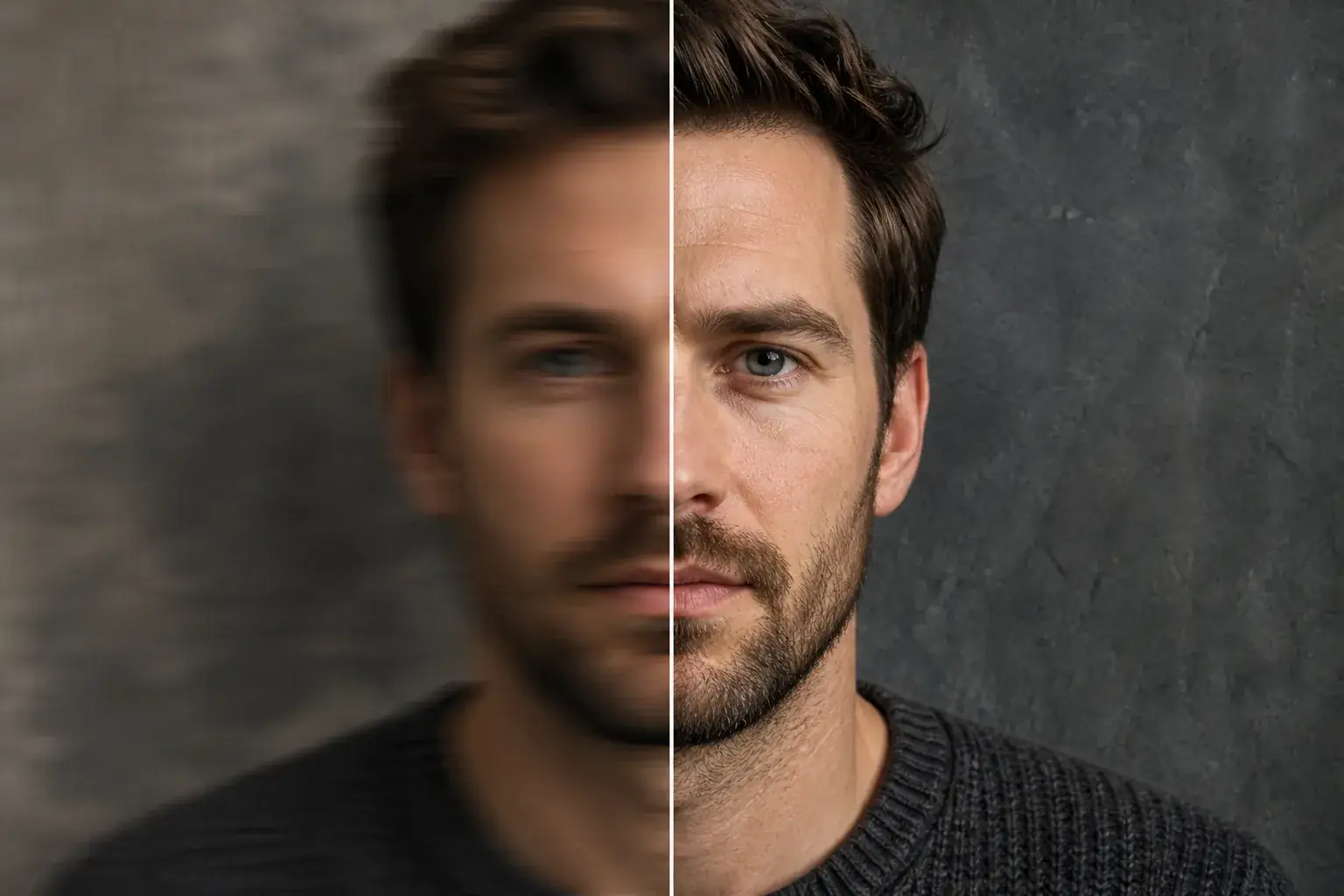 BeforeAfter
Bring soft detail back into focus
The original stays beside the edit, so you judge the tool on the same person, pose and camera angle.
Try photo unblurHow it works
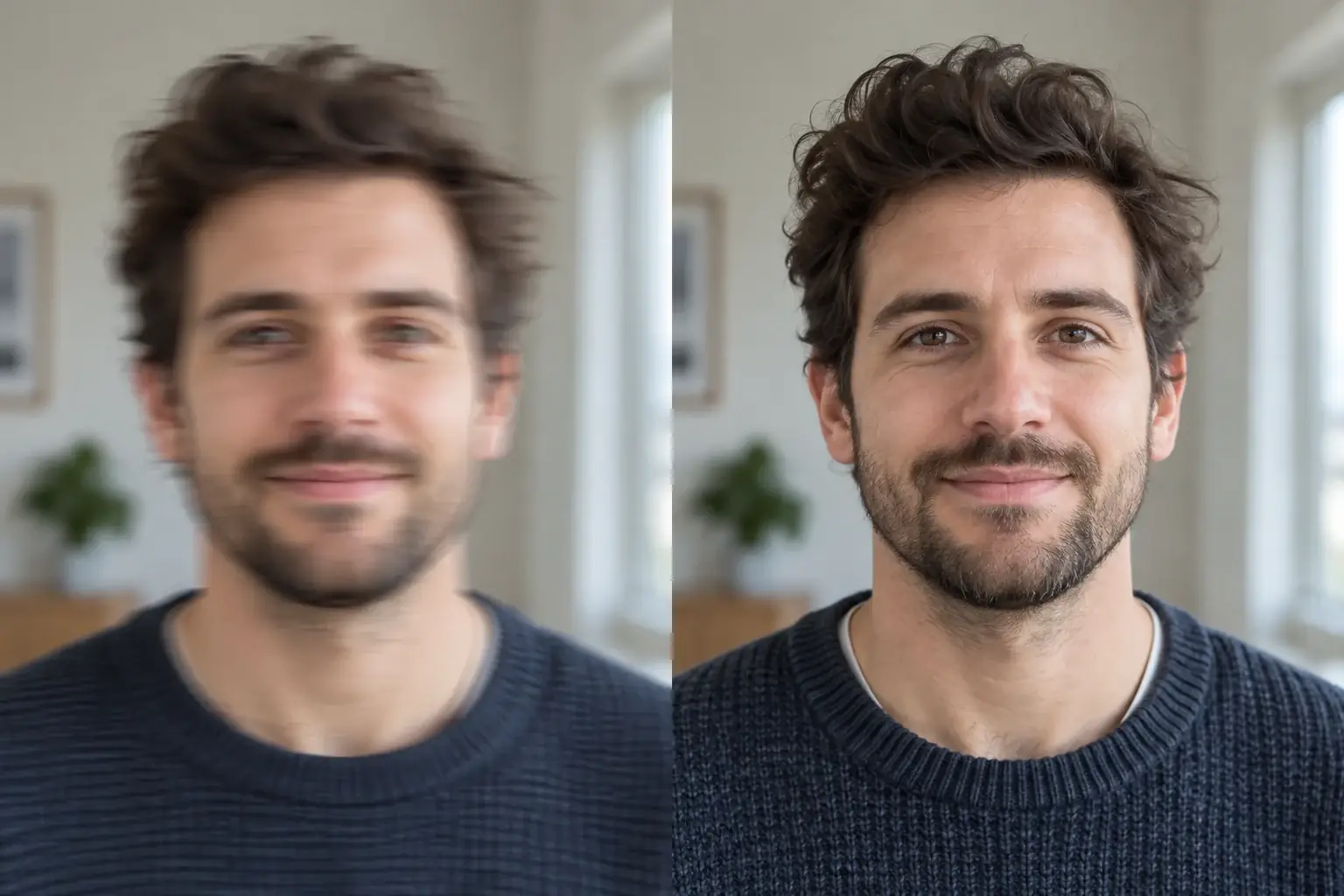
The complete change, shown side by side Add the blurry photo
Camera shake, missed focus, a screenshot of a screenshot: all fair game.
A second result on a different subject We remove blur and pixelation
Across the entire image, so it reads as crisp rather than sharpened in one patch.
- Loading preview…
Before and after motion blur removed while the face stays the same Features stay proportioned
Recovering a face is where sharpening tools invent a different one. Every feature and its proportions are held, along with your expression.
A photo you can actually use
- Blur and pixelation removed across the image.
- Detail recovered rather than edges artificially hardened.
- Every feature kept in proportion, and the expression unchanged.
- Crisp enough to print or post rather than only to preview.
Sharpening and unblurring are not the same thing
Sharpening increases contrast along edges that are already in the file. It makes a slightly soft photo look crisper and it does nothing for a genuinely blurred one. Run it hard enough and you get halos around every edge rather than detail.
Unblurring is reconstruction. The tool works out what the scene most likely was and rebuilds the detail, which is why it can rescue photos a sharpening slider cannot touch, and also why the result is a plausible version of the picture rather than a recovered one.
That distinction matters more than it sounds. On a mildly soft photo the reconstruction lands very close to the truth. On a badly blurred one it is making an educated guess about your face, and it will look confident either way.
Which kind of blur you have
Three different things get called blur and they do not respond the same way, so it is worth knowing which one you are looking at before spending anything.
- Out of focus. The camera focused on something else, often the background, or an ear instead of the eyes. This is the most recoverable kind, because the blur is even and predictable.
- Motion blur. Either the camera moved or the subject did, so detail is smeared in one direction. Recoverable up to a point, and a long smear is not.
- Low resolution. Not blur at all, but it looks like it. The file simply has too few pixels, and the fix is upscaling rather than deblurring. A screenshot of a photo is usually this.
- Compression. Heavy re-saving (a picture forwarded through several apps) leaves blocky artefacts that unblurring will happily sharpen into blocky artefacts.
The honest ceiling
Detail that was never captured cannot be recovered, only invented. That is not a limitation of one tool, it is what the file contains.
In practice this means a soft photo comes back genuinely sharper, and a badly blurred one comes back looking sharp without being accurate. Faces are where this shows: reconstruction has strong priors about what a face looks like, so a heavily blurred face resolves into a confident, clean, slightly-not-you face.
Worth holding onto if the photo matters: a picture of a person you want to remember properly, or anything that needs to be a record. An unblurred image looks more like a photograph. That is not the same as being more true.
Where this struggles
Severe blur is a guess
Beyond a point, detail was never recorded and has to be inferred. A heavily blurred face comes back plausible, which is fine for a photo you want to use and not fine as evidence.
Faces of people you know
Inferred detail can shift a face slightly. On a stranger nobody notices; on someone you know well, you will.
Text and small print
Letters are the least forgiving thing to reconstruct, and a wrong guess reads as gibberish rather than as softness.
Motion versus focus blur
Directional smear from movement recovers less cleanly than a simple missed focus.
Worth reading first.
The useful context, trade-offs and photo advice, before you spend a credit.
Your photo stays yours.
Uptone edits your own photo rather than generating someone who resembles you. It never scores how you look, never calls a feature a flaw, and every trait it infers stays yours to correct.
Unblur an image, and still look like you.
Try it on your own photo and judge the full-size result for yourself.
Unblur a photoSee photo unblur in motion.
The moving cards wipe between a real before and after. The still cards are finished looks, and the full strip scrolls continuously.
Questions, answered.
What this edit changes, what stays fixed, and where the result still depends on your original photo.
01How do I unblur a photo?
Upload the blurry photo and run the tool. It reconstructs detail rather than sharpening edges, which is why a face comes back looking like a face instead of looking traced.
02Can AI fix a blurry image?
Up to a point, and the point matters. Detail that was never captured has to be inferred, so a mildly soft photo recovers well and a heavily blurred one becomes a plausible face rather than provably your face.
03Is the unblur tool free?
A new account gets a credit a month, which covers one image. There is no card required to find out whether your photo is one of the recoverable ones.
04Can it recover a face that is very blurry?
Up to a point, and it is worth knowing where that point is. Detail that was never captured has to be inferred, so a heavily blurred face comes back plausible rather than certain. That is fine for a photo you want to use, and not fine as evidence.
05Will the person still look like themselves?
On a stranger, inferred detail is invisible. On someone you know well, a slight shift in a feature is exactly the thing you notice. Check the result against another photo of them before relying on it.
06Does it work on text?
Poorly, and predictably so. Letters are the least forgiving thing to reconstruct, because a wrong guess reads as gibberish rather than as softness. Faces tolerate inference; text does not.
07Motion blur or out of focus: which works better?
Out of focus. Directional smear from movement has less recoverable structure, so it comes back less cleanly than a simple missed focus.
08Will it make the image bigger?
No, this is about clarity rather than size. It removes blur and pixelation at the resolution you have.
09Is this safe for a photo I need to be accurate?
Treat it as a reconstruction, not a restoration. If accuracy matters (identification, documentation, anything contested), the unblurred version is an interpretation and should be labelled as one.
Retouching is one half of what Uptone does. The other is trying a full makeup look on the same photo.
Try a full AI makeup look