






Why your photo has no skin texture, and how much of it comes back
Plastic-looking skin is almost never the lighting. It is one of three specific things, and which one happened decides whether it can be fixed or only covered up.
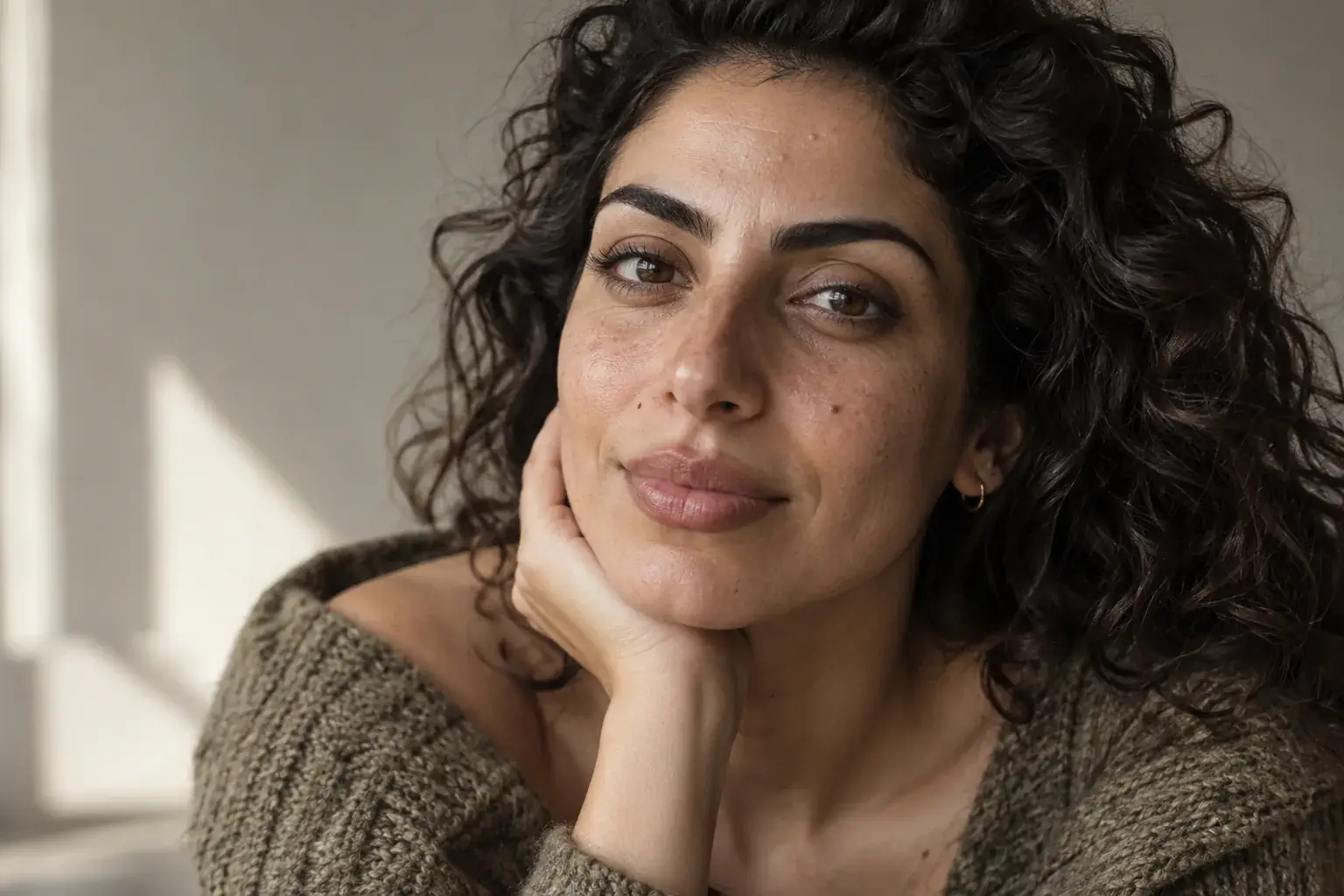
What skin texture actually is
Skin texture is pores, fine lines, the faint unevenness across a cheek, and the way light scatters slightly rather than bouncing off cleanly. It is not detail you notice. It is detail you notice the absence of.
That is the whole reason it matters. Nobody looks at a photograph and thinks about pores. They look at a photograph without them and think something is off, without being able to say what, because a face with no texture reads as a rendering of a person rather than a photograph of one.
It also carries more than realism. Texture is most of what makes skin look like skin at a particular age and in particular light. Remove it and you have not made someone look better, you have made them look synthetic.
Cause one: your phone did it
This is by far the most common and the least suspected, because nobody chose it.
Every phone camera runs noise reduction on every shot. Small sensors produce grainy images, particularly in low light, and the processing that removes that grain cannot tell the difference between sensor noise and pores: both are small, low-contrast variation. So it smooths both.
This is why the same face can look textured in daylight and plastic indoors from the same phone. It is not the light flattering you differently. It is that the darker shot needed far more noise reduction, and the pores went with the noise.
The tell is that the smoothing is uneven: sharper where the image was bright, waxier in the shadows under the chin and beside the nose.
Cause two: a filter did it on purpose
Beauty filters (in-camera modes, social app filters, retouching apps) remove texture deliberately, because that is the effect being sold.
The difference from noise reduction is that filters are usually stronger and more even. They tend to leave a face that is uniformly smooth across bright and dark areas alike, which is not how skin behaves under any lighting.
The other tell is the edges. Filter smoothing usually stops abruptly somewhere (at the jaw, at the hairline, at the edge of the frame), so a plastic face sits on a normally-textured neck.
Cause three: it was never there
AI-generated images and AI headshots are a different problem entirely. There is no texture to recover because none was ever recorded.
Generated faces tend to fail in a recognisable cluster: skin that is smooth in a slightly waxy way, highlights that look wet rather than bright, hair that resolves into a shape rather than into strands, and fabric that has weave-like pattern but no actual thread.
This matters because it changes what a fix even means. With the first two causes you are recovering something the camera saw. Here you are adding something that was never observed, which is a legitimate thing to do to a picture and worth being clear-eyed about.
How much comes back
Honestly, it depends entirely on which of the three happened, and this is the part most tools are vague about.
- Mild noise reduction: genuinely recoverable. The underlying detail is degraded rather than gone, and sharpening plus texture restoration gets close to what the sensor saw.
- Heavy noise reduction in low light: partly. Expect a plausible face rather than an accurate one. The fine detail was discarded before the file was ever written.
- A beauty filter: not recoverable. The texture is gone from the file. A tool can add new texture, and it will look better, but it is generated detail rather than yours.
- A generated image: nothing to recover, by definition. Everything added is invented, which is fine for a portrait and not fine for anything that needs to be a record of a real moment.
What to actually do
The order matters more than the tool. Working the other way round bakes in problems you then have to fight.
- Fix the exposure first. A lot of photos that look texture-less are simply dark, and lifting the brightness recovers detail that was sitting in the shadows all along.
- Then sharpen, if the photo is soft. Softness and missing texture are different problems and sharpening a photo that is already sharp adds crunch, not detail.
- Then restore texture, and less than you think. Overdone pore restoration is as obvious as no pores at all, and it usually announces itself as a faint uniform grain across the whole face rather than variation that follows the shape of it.
- Do not smooth anything afterwards. It sounds obvious, and it is the most common way people undo the work they just did.
On free tools
Most tools that do this have a free tier, and the limits are usually the same three: a watermark, an export resolution cap, or a small number of images before payment.
Worth checking which one you are getting before you spend time on a photo. A watermark makes the result unusable for the thing you probably wanted it for, and a resolution cap quietly undoes the point of a detail-restoration pass.
Uptone does not watermark, and a generation that fails does not cost you anything.
Restoring is not the same as recording
Any tool that adds skin texture is generating it, not recovering it, once the original detail is gone. That is a reasonable thing to do to a portrait and a bad thing to do to a photograph that needs to be evidence of something. The distinction gets blurred a lot in marketing copy, so it is worth holding onto: a restored photo looks more like a photograph, which is not the same as being more accurate.
Take the theory out of it.
Uptone lifts quality, lighting and resolution and restores natural pores, with your features, skin tone and hairstyle explicitly held. It is instructed not to smooth and not to invent lines or wrinkles. Free to start.
Questions people ask
Is there a free AI tool for skin texture?
Several, including this one. The thing to check is the catch rather than the price: a free tier that watermarks the export or caps the resolution undoes most of the point of a detail-restoration pass. Uptone is free to start, does not watermark, and does not charge for a failed generation.
Why does my skin look plastic in photos?
Usually your phone's noise reduction, especially in low light, where removing grain also removes pores. If the smoothing is even across the whole face rather than worse in the shadows, a filter is the more likely cause.
Can AI add realistic skin texture?
Yes, and the honest framing is that it is adding rather than recovering once the original detail is gone. On a mildly soft photo the result is close to what the camera saw. On a heavily filtered or generated one it is plausible invented detail.
How do I get skin texture back after using a beauty filter?
You cannot get yours back; it is not in the file any more. A texture restoration pass will make the photo look considerably more real, but it is generating new detail. If you still have the unfiltered original, start from that instead.
Does restoring skin texture add wrinkles?
It should not, and a tool that does is overshooting. Uptone's instruction rules out adding new or unnecessary lines and wrinkles, and it does not remove existing ones either. It is a clarity pass, not an ageing one in either direction.
What is the difference between sharpening and restoring texture?
Sharpening increases local contrast at edges that are already there, which helps a soft photo and does nothing for a smoothed one. Texture restoration puts back fine variation across a surface. Sharpening an already-sharp photo adds crunch rather than detail.
My photo was generated by AI: is this the same problem?
It is the harder version. Nothing was ever recorded, so there is no detail to recover and the job becomes stripping the waxy highlights and adding texture from scratch. Uptone has a separate realism pass for that case.